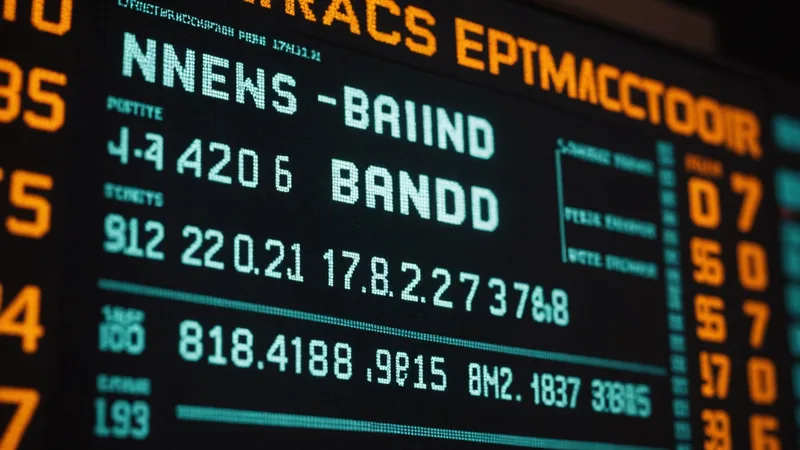
In a typical hour of broadcast news, there are roughly 200 to 350 individual text overlays — chyrons, lower thirds, full-screen graphics, ticker text, location tags, interview subject titles, breaking news banners. These appear for an average of 5 to 15 seconds each. None of it is in the audio track. Every text overlay is displayed visually, never read aloud, and in nearly every video search system built before the last few years, all of it is completely unsearchable.
OCR in video — extracting and indexing text that appears in frames rather than in the audio — has been a known capability for years. But it's systematically underimplemented in archive search tools. When we've talked with archive teams about their search failures, the category of query that consistently produces the worst results is: "find me footage where a specific person's name or title appears." That name is almost certainly in a chyron. It almost certainly isn't in the transcript. And if the system only indexes the transcript, the search returns nothing.
What's Actually in On-Screen Text
To understand why this matters, you need to think about what information lives in broadcast graphics that doesn't appear in the audio track.
Interview subject identifications are the clearest case. A news segment will show a person speaking with their name and title displayed as a lower-third graphic for 5–8 seconds. The anchor or reporter often doesn't read the title aloud — the assumption is that viewers are watching the screen. The transcript will contain what the person said but won't contain their name or role unless those were spoken separately. In an archive context, if you want every clip where a specific official appeared in an interview, you can't find it from audio alone.
Location tags work the same way. "LIVE: Downtown Phoenix" appears over footage. The audio might say "reporting live" without naming the location explicitly. Breaking news banners often carry the headline before the reporter has spoken a complete sentence about it. Full-screen graphics in financial news carry numbers, percentages, company names, and stock symbols that are read in a compressed way in audio ("the stock fell to...") but appear completely in the graphic.
In sports content, on-screen text carries the bulk of meaningful metadata: scores, player statistics, team records, game time. In documentary and educational content, chapter titles, source citations, and explanatory captions appear as text overlays. In corporate training video, slide content is often displayed visually while the presenter speaks something adjacent to it rather than reading it verbatim.
The pattern is consistent: on-screen text and spoken audio carry different information, and a search system that only indexes one source is structurally missing a substantial portion of the content's meaning.
Why Video OCR Is Harder Than Document OCR
Document OCR is a mostly-solved problem. Video OCR is not. The difference comes down to several factors that complicate direct application of standard OCR pipelines.
Text in video frames is often in motion or is briefly visible. Lower-third chyrons frequently animate in and out with a slide or fade transition. During the transition, the text is partially visible, rendered against a moving background, and may appear at subpixel resolution depending on the frame rate and the timing of the capture. A static OCR model applied to a frame caught mid-animation will produce partial or garbled output. Detecting that a text element is in motion, tracking it through its animation, and waiting for it to reach a stable position before applying OCR is a requirement that doesn't exist in document contexts.
Text in video appears over varying and often complex backgrounds. Unlike a document with a uniform white background, a chyron may overlay moving footage, be rendered semi-transparent, or appear with a gradient or texture that affects contrast. The character of background complexity varies enormously across broadcast styles: local news tends toward simpler, higher-contrast chyrons; cable news often uses stylized graphics with lower text-background contrast; sports broadcasts layer text over fast-moving imagery.
Additionally, broadcast video carries compression artifacts. MPEG-2 and H.264 encoded at moderate bitrates introduce blocking artifacts around high-contrast edges — exactly where text characters are. For content originally encoded at low bitrates, those artifacts can degrade OCR accuracy significantly. ProRes masters read better; web-resolution H.264 proxies read considerably worse. If your OCR pipeline is running on proxy files rather than masters, you're adding an accuracy penalty that isn't always visible until you check the output.
Frame Sampling Rate and Temporal Indexing
One implementation decision that significantly affects OCR coverage is frame sampling rate. Extracting and processing every frame in 40,000 hours of video is computationally prohibitive. Most systems sample keyframes — I-frames in MPEG streams, or periodic samples at a fixed interval like one frame per second or one frame every two seconds. Keyframe extraction is efficient but creates gaps: a chyron that appears for six seconds might not overlap with any sampled keyframe, making it invisible to the OCR pass entirely.
We address this with change-detection sampling. Rather than sampling at a fixed interval, we run a lightweight visual change detector across the video stream that identifies when text elements appear, disappear, or change. When a new text element is detected, we sample at higher frequency — multiple frames during the stable window of the element's appearance — until the element leaves the frame. This produces denser sampling in text-rich regions and sparser sampling in regions without text, which is both more accurate and computationally more efficient than uniform high-frequency sampling.
Once OCR text has been extracted, it needs to be indexed with temporal metadata. The same text element may appear across multiple sampled frames — you don't want it indexed once per frame, which would massively over-weight it relative to spoken content. We deduplicate adjacent frames with the same OCR output and store a single entry with a start time and end time for the visible window. This produces a temporal transcript of on-screen text that's structurally analogous to the audio transcript and can be searched and navigated in the same way.
Recognizing Text Regions vs. Reading Background Text
A distinction that matters in implementation: intentional broadcast text (chyrons, graphics) is different from incidental text that appears in the scene (signs, labels, storefronts in the footage). Both are potentially valuable to index, but they have different characteristics and different priorities.
Broadcast graphics are styled consistently within a production: they use the same fonts, same color palette, same regions of the frame, and often have a graphical background treatment that separates them visually from the underlying footage. A region classifier trained on a broadcaster's production style can identify graphics regions with high confidence and route them to the OCR pipeline with priority.
Scene text — signs, text on objects in the footage — appears inconsistently, at varying scales and angles, and in arbitrary positions. Scene text extraction is useful for certain archive applications (surveillance content, documentary location footage) but adds noise in news and structured broadcast content where the incidental text in the scene is rarely what a user is searching for. We run scene text extraction but apply it as a secondary signal with lower retrieval weight than graphic-layer OCR, and we allow per-archive configuration to suppress it entirely for archives where it adds more noise than signal.
This distinction — between intentional production text and incidental scene text — is one we're still refining. For some archive types (legal depositions, corporate training) there's almost no scene text. For others (documentary, B-roll libraries) scene text is valuable content. The right trade-off depends on the archive's character, and a one-size approach doesn't serve both well.
Where This Doesn't Fully Work Yet
Handwritten text in video — whiteboard content, handwritten documents shown on camera — is a meaningful gap. Standard OCR models trained on print text perform poorly on handwritten content, and the frame-quality degradation from video encoding makes it worse. For archives with significant whiteboard or handwritten document content, OCR coverage on those segments will be incomplete. We surface this as a known limitation and flag segments where handwritten text is detected but extraction confidence is below threshold.
Multilingual archives present another challenge. If a broadcast archive contains content in multiple languages with different scripts — Latin, Arabic, Devanagari — a single OCR model optimized for one script performs poorly on the others. We support multi-script OCR for major writing systems, but mixed-script content within a single frame (which occurs in international news coverage) requires a detection step to identify which script is present before applying the appropriate model, and that detection isn't perfectly accurate.
The signal that's been ignored for years in video search — the text that runs across the bottom of the screen, the name cards, the location tags — turns out to be some of the most structured, cleanest, most directly searchable information in the entire video. Getting it out reliably requires purpose-built extraction logic, not a document OCR model pointed at frames. But once it's indexed, it answers a whole class of queries that audio-only systems simply cannot touch.